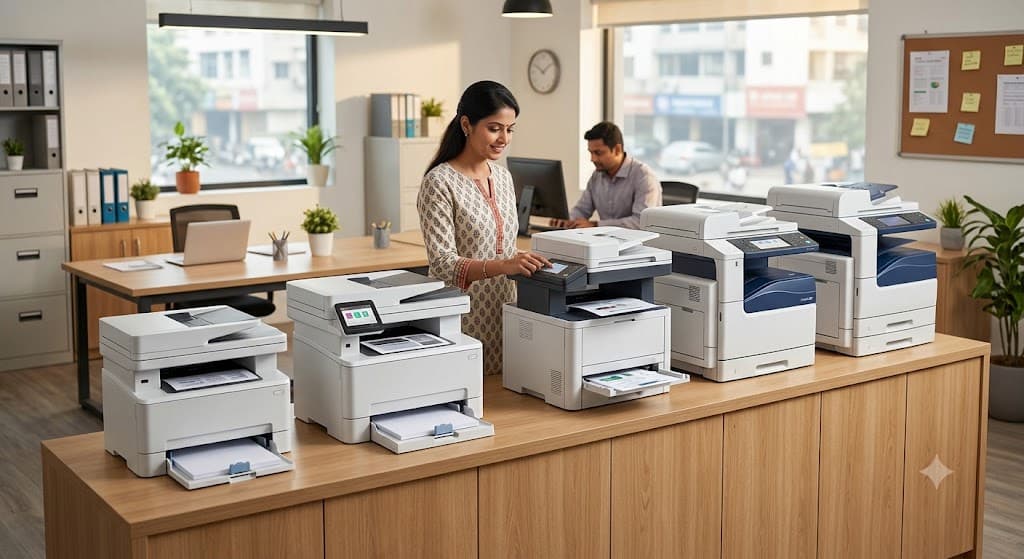
If you run a shop, a coaching centre, a small office or even a CSC centre, you already know this – the day your photocopier stops working, half your work stops with it. Customers walk out, students wait, and you end up running to the next-door shop to get one page xeroxed while your own machine sits there blinking an error code.
Buying a xerox machine sounds simple until you actually start comparing models. Every dealer tells you their machine is “the best one,” every listing shows a different price for the same model, and half the specification sheets read like they were written for engineers, not shop owners. This guide cuts through all of that.
We’ve compared 10 of the most reliable photocopiers currently sold in India for small businesses – across print speed, running cost, toner availability, and after-sales service – so you can pick one that actually fits your daily volume and budget, not just one that looked good on a website.
Why Choosing the Right Photocopy Machine Matters
A xerox machine isn’t a one-time purchase you forget about. It’s a daily-use tool that either saves you money every month or quietly drains it through toner, drum replacements, and service calls. Buy the wrong one, and you’ll either be stuck with a slow machine that can’t handle your rush hours, or an oversized commercial unit that costs more to run than your rent.
The right machine, on the other hand, pays for itself. It cuts your cost per copy, reduces downtime, and keeps customers or students from waiting in line while you fight with a paper jam.
Challenges Small Businesses Face While Buying a Xerox Machine
Most small business owners run into the same problems when shopping for a copier:
- Confusing terms – PPM, ADF, duplex, duty cycle – nobody explains what these actually mean for daily use.
- Hidden running costs – the machine looks cheap, but toner and drum costs quietly eat the savings.
- Overselling by dealers – many local dealers push whatever gives them the best margin, not what suits your volume.
- No clarity on service support – a machine 200 km from the nearest service centre is a nightmare when it breaks down.
- Price confusion – the same model shows three different prices on three different websites.
This guide is built to solve exactly these problems.
Who Should Buy This Guide
This comparison is written for:
- Photocopy and stationery shop owners
- Coaching centre and tuition institute owners
- School and college administrative offices
- CA firms, law offices, and small corporate offices
- Cyber cafés and CSC (Common Service Centre) operators
- Home-based businesses and freelancers who print regularly
What This Article Covers
You’ll find a quick comparison table, a detailed breakdown of the top 10 machines, a practical buying guide, current price ranges by category, business-type recommendations, running cost math, maintenance tips, and answers to the questions people ask most before buying a copier in India.
Quick Comparison Table
| Xerox Machine | Best For | Print Speed | Duplex | WiFi | Monthly Duty Cycle | Price Range (₹) |
| Xerox B215 | Overall best for small office | Up to 30 ppm | Yes | Yes | 30,000 pages | 21,000 – 28,000 |
| Xerox WorkCentre 3025 | Best budget pick | Up to 20 ppm | Manual | Yes | 15,000 pages | 12,000 – 16,000 |
| Canon imageCLASS MF3010 | Home business / low volume | Up to 18 ppm | Manual | No | 5,000 pages | 9,500 – 13,000 |
| HP LaserJet MFP 137fnw | Best value multifunction | Up to 20 ppm | Manual | Yes | 10,000 pages | 14,000 – 18,000 |
| Brother DCP-L2540DW | Best for auto-duplex printing | Up to 30 ppm | Yes | Yes | 30,000 pages | 22,000 – 27,000 |
| Ricoh SP 220SN | Best for coaching centres | Up to 22 ppm | Manual | No | 15,000 pages | 13,000 – 17,000 |
| Kyocera ECOSYS M2040dn | Lowest running cost, high volume | Up to 40 ppm | Yes | Optional | 50,000 pages | 32,000 – 42,000 |
| Konica Minolta Bizhub 164 | Best for CA offices, heavy copying | Up to 16 cpm | No | No | 15,000 pages | 55,000 – 70,000 |
| Epson EcoTank L3250 | Best colour, low ink cost | Up to 10 ipm colour | No | Yes | 3,000 pages | 16,000 – 19,000 |
| Sharp AR-6023 | Best commercial copier for shops | Up to 20 cpm | No | No | 20,000 pages | 65,000 – 85,000 |
Prices vary by city, GST slab, and dealer margins – always confirm the latest quote before purchase.
Top 10 Best Xerox Machines for Small Business
1. Xerox B215 Multifunction Printer
Overview The Xerox B215 is the machine most photocopy shop owners in India end up buying – and for good reason. It’s a black-and-white laser multifunction printer built for teams of one to five users, with a print, copy, scan, and fax combo that covers almost everything a small office needs in a single box.
Key Features
- Compact desktop laser design with a 3.5-inch colour touchscreen
- Built-in Wi-Fi and Wi-Fi Direct for wireless printing
- Auto duplex (two-sided) printing built in
- Mobile printing support (AirPrint, Mopria)
Specifications
- Print speed: Up to 30 ppm
- Monthly duty cycle: Around 30,000 pages
- Connectivity: USB, Ethernet, Wi-Fi
- Colour: Monochrome
- ADF: Yes
Pros
- Reliable at high daily volumes
- Genuine toner easily available across India
- Compact footprint, fits small counters
Cons
- No colour printing
- Touchscreen response can feel slow on older units
Best For: Photocopy shops, small offices, coaching centres
Price: Approx. ₹21,000 – ₹28,000
Expert Verdict: If you only buy one machine for a small business this year, the B215 is the safest, most well-rounded choice – strong speed, low running cost, and a service network that actually exists outside metro cities.
2. Xerox WorkCentre 3025
Overview A lighter, more affordable cousin of the B215, the WorkCentre 3025 is built for businesses that print moderately but still want the Xerox reliability tag without spending on features they won’t use.
Key Features
- Print, copy, scan in one unit
- Wi-Fi connectivity for basic wireless use
- Simple control panel, minimal learning curve
Specifications
- Print speed: Up to 20 ppm
- Monthly duty cycle: Around 15,000 pages
- Duplex: Manual
- Colour: Monochrome
Pros
- Budget-friendly entry into a trusted brand
- Low maintenance, simple mechanism
- Good for first-time buyers
Cons
- No auto duplex, so double-sided pages need manual flipping
- Not built for high daily volumes
Best For: Small stationery shops, home businesses, single-person offices
Price: Approx. ₹12,000 – ₹16,000
Expert Verdict: A dependable starter machine. Skip it only if you’re printing more than a couple hundred pages a day – otherwise, it’s excellent value.
3. Canon imageCLASS MF3010
Overview Canon’s MF3010 has been a favourite for home offices and light-use shops for years, largely because of its compact size and low upfront cost.
Key Features
- All-in-one toner cartridge design (drum + toner in one unit)
- Fast first-print-out time
- Compact, lightweight build
Specifications
- Print speed: Up to 18 ppm
- Monthly duty cycle: Around 5,000 pages
- Duplex: Manual
- WiFi: Not available on base model
Pros
- Very affordable
- Easy toner replacement
- Small footprint, ideal for tight spaces
Cons
- No wireless printing on standard variant
- Not meant for heavy daily use
Best For: Home-based businesses, freelancers, very low-volume offices
Price: Approx. ₹9,500 – ₹13,000
Expert Verdict: A solid pick if your printing needs are occasional rather than constant. Don’t expect it to survive shop-level daily volumes.
 Check Price on Amazon
 Check on Flipkart
4. HP LaserJet MFP 137fnw
Overview HP’s multifunction laser printer brings together print, scan, copy, and fax with wireless connectivity at a price that undercuts most competitors in the same class.
Key Features
- Wireless and mobile printing support
- Flatbed scanner for ID cards and books
- Fax function included – useful for offices that still need it
Specifications
- Print speed: Up to 20 ppm
- Monthly duty cycle: Around 10,000 pages
- Duplex: Manual
- Colour: Monochrome
Pros
- Strong price-to-feature ratio
- Wide HP service network across India
- Compact and easy to set up
Cons
- Manual duplex only
- Toner cost slightly higher than Xerox equivalents
Best For: Small offices, CA firms, cyber cafés
Price: Approx. ₹14,000 – ₹18,000
Expert Verdict: A well-balanced machine for offices that need fax alongside printing and copying – a combination not every competitor offers at this price point.
5. Brother DCP-L2540DW
Overview Brother built a strong reputation among small businesses for machines that just keep running. The DCP-L2540DW adds automatic duplex printing at a genuinely useful speed, which cuts paper costs significantly over time.
Key Features
- Automatic two-sided printing and scanning
- Wireless and mobile connectivity
- Large paper tray capacity for reduced refill frequency
Specifications
- Print speed: Up to 30 ppm
- Monthly duty cycle: Around 30,000 pages
- Duplex: Automatic
- ADF: Yes
Pros
- Genuine cost savings from auto duplex over time
- Handles high daily volumes comfortably
- Toner cartridges last long with good page yield
Cons
- Slightly bulkier than compact desktop models
- Setup for network printing can need IT help initially
Best For: Coaching centres, schools, offices printing double-sided notes regularly
Price: Approx. ₹22,000 – ₹27,000
Expert Verdict: For any business printing lots of double-sided material – notes, question papers, forms – this machine pays back its price difference within months through paper savings alone.
6. Ricoh SP 220SN
Overview Ricoh doesn’t get talked about as much as Xerox or Canon in India, but the SP 220SN is a dependable, no-frills black-and-white machine built for consistent daily printing.
Key Features
- Simple, sturdy build meant for continuous use
- Compact single-function-style design with copy/scan add-ons
- Low power consumption
Specifications
- Print speed: Up to 22 ppm
- Monthly duty cycle: Around 15,000 pages
- Duplex: Manual
- WiFi: Not standard
Pros
- Very reliable mechanical build
- Reasonably priced toner
- Good for humid or dusty environments common in smaller towns
Cons
- Fewer smart features compared to Xerox/Brother
- Limited connectivity options
Best For: Coaching centres, tuition institutes, government-adjacent offices
Price: Approx. ₹13,000 – ₹17,000
Expert Verdict: Not the flashiest machine on this list, but coaching centre owners who value uptime over features tend to stick with Ricoh once they try it.
7. Kyocera ECOSYS M2040dn
Overview Kyocera machines are built around long-life components, which means a noticeably lower running cost per page – ideal for businesses printing in bulk every single day.
Key Features
- Long-life drum unit that reduces replacement frequency
- Fast print speed suited to high-volume shops
- Network printing built in
Specifications
- Print speed: Up to 40 ppm
- Monthly duty cycle: Around 50,000 pages
- Duplex: Automatic
- WiFi: Optional module
Pros
- Among the lowest cost-per-page in this list
- Handles heavy daily loads without strain
- Strong build quality, fewer breakdowns over years
Cons
- Higher upfront price
- WiFi not built-in on base model
Best For: Busy photocopy shops, CSC centres, high-footfall coaching institutes
Price: Approx. ₹32,000 – ₹42,000
Expert Verdict: If your shop prints thousands of pages a day, the higher upfront cost of the Kyocera pays for itself quickly through lower toner and drum expenses.
8. Konica Minolta Bizhub 164
Overview A dedicated photocopier rather than a desktop MFP, the Bizhub 164 is built for businesses that copy far more than they print – think CA offices handling stacks of documents daily.
Key Features
- Large-capacity paper trays for uninterrupted copying
- Sturdy floor-standing or desktop build depending on variant
- Designed for continuous, heavy-duty copying
Specifications
- Copy speed: Up to 16 cpm
- Monthly duty cycle: Around 15,000 pages
- Duplex: Not standard
- ADF: Optional
Pros
- Excellent copy quality even after heavy use
- Long machine lifespan with proper maintenance
- Strong resale value
Cons
- Higher price bracket
- Bulkier than desktop MFPs
Best For: CA offices, legal firms, government liaison offices with heavy document copying
Price: Approx. ₹55,000 – ₹70,000
Expert Verdict: This is less a “printer” and more a proper office photocopier – the right pick if your business is document-heavy rather than print-heavy.
9. Epson EcoTank L3250
Overview Not a laser machine, but worth including because many small businesses – especially those needing colour copies – save massively on running costs with Epson’s ink tank technology instead of toner cartridges.
Key Features
- Refillable ink tanks instead of cartridges
- Wireless and mobile printing
- Colour and monochrome printing, scanning, and copying
Specifications
- Print speed: Up to 10 ipm (colour), 33 ppm (mono, draft)
- Monthly duty cycle: Around 3,000 pages
- Duplex: Manual
- WiFi: Yes
Pros
- Extremely low cost per colour page
- Good for occasional colour brochures, ID cards, certificates
- Compact and quiet operation
Cons
- Not built for high-volume black-and-white copying
- Ink tank refills need care to avoid spillage
Best For: Stationery shops needing occasional colour prints, small design or printing businesses
Price: Approx. ₹16,000 – ₹19,000
Expert Verdict: Don’t buy this as your main copier if you’re a high-volume black-and-white shop – but as a secondary colour machine, it’s hard to beat on running cost.
10. Sharp AR-6023
Overview A proper commercial-grade photocopier for businesses that copy in bulk all day, every day. This is the machine you’ll find in busy xerox shops near colleges and courts.
Key Features
- Built for continuous, high-speed copying
- Large paper capacity with multiple trays
- Durable commercial-grade internal components
Specifications
- Copy speed: Up to 20 cpm
- Monthly duty cycle: Around 20,000+ pages
- Duplex: Optional attachment
- Colour: Monochrome
Pros
- Built to survive heavy daily commercial use
- Strong AMC and service ecosystem in most cities
- Consistent copy quality at high volumes
Cons
- Expensive upfront investment
- Needs regular professional servicing to maintain performance
Best For: Full-time photocopy shops, printing businesses near educational institutes
Price: Approx. ₹65,000 – ₹85,000
Expert Verdict: This is a commercial investment, not a small-office convenience purchase. Buy it only if photocopying is your core business, not a side function.
How We Selected These Xerox Machines
We didn’t just pick the most popular or most advertised models. Each machine on this list was evaluated against nine practical factors that actually affect a small business owner’s day-to-day experience:
- Print quality – sharp, consistent output across hundreds of copies, not just the first few
- Running cost – cost per page including toner and drum wear
- Toner availability – whether cartridges are easy to find in tier-2/tier-3 cities, not just metros
- Brand reputation – track record for reliability, not marketing spend
- Service network – how many authorised service centres and technicians exist near you
- Energy efficiency – power draw during idle and active printing
- Monthly volume capacity – whether the rated duty cycle matches real small-business usage
- Warranty terms – length and coverage of manufacturer warranty
- Customer reviews – real buyer feedback across multiple platforms, not just one source
This approach keeps the list grounded in what actually matters for a small business budget and daily grind, rather than spec-sheet marketing language.
Buying Guide
1. Print Volume
Before anything else, estimate how many pages you print or copy in a month.
- Low (under 3,000 pages/month): Home businesses, freelancers, very small offices
- Medium (3,000 – 15,000 pages/month): Coaching centres, small offices, CA firms
- High (15,000+ pages/month): Photocopy shops, cyber cafés, busy stationery shops
Buying a machine rated below your actual volume is the single most common mistake – it burns out the machine faster and voids warranties in many cases.
2. Print Speed (Pages Per Minute Explained)
PPM (pages per minute) tells you how fast a machine prints plain black-and-white text pages under ideal conditions. Real-world speed is usually a bit lower once you factor in warm-up time, duplex printing, and mixed content.
Recommended PPM by business type:
| Business Type | Recommended PPM |
| Stationery/photocopy shop | 25–40 ppm |
| School office | 20–30 ppm |
| Small office | 18–25 ppm |
| Coaching centre | 25–35 ppm |
3. Mono vs Colour Xerox Machine
| Factor | Monochrome | Colour |
| Running cost | Low | High |
| Best for | Text-heavy documents, notes, forms | Certificates, brochures, ID cards |
| Toner/ink cost | Cheaper per page | Significantly more expensive per page |
| Speed | Generally faster | Generally slower for colour pages |
Unless colour printing is a regular part of your business, monochrome will save you far more money over the machine’s lifetime.
4. Laser vs Ink Tank
Laser Pros: Fast, low cost per page at high volumes, sharp text quality, better for continuous daily use
Laser Cons: Higher upfront cost, toner cartridges cost more individually
Ink Tank Pros: Very low cost per colour page, lower upfront machine cost, good for mixed colour/mono printing
Ink Tank Cons: Slower for high-volume black-and-white work, not built for constant heavy-duty copying
Best use cases: Laser for shops and offices with daily bulk printing; ink tank for businesses needing occasional colour output alongside light printing.
5. Multifunction vs Single Function
Most small businesses today choose multifunction (MFP) machines that combine:
- Print – standard document output
- Scan – digitising physical documents for email or storage
- Copy – the core photocopying function
- Fax – still used by some government offices, banks, and CA firms
Unless you have a very specific single-purpose need, an MFP gives far better value than buying separate machines.
6. Automatic Duplex Printing
Auto duplex means the machine prints on both sides of the paper without you manually flipping it.
Benefits: Saves paper cost significantly over time, faster workflow for double-sided documents, professional-looking output for notes and reports
Cost savings: A business printing 10,000 pages a month can cut paper consumption by close to half if most documents go double-sided – this adds up to real monthly savings, not just convenience.
7. Automatic Document Feeder (ADF)
An ADF lets you load a stack of pages that the machine scans or copies automatically, one after another, instead of you placing each page manually on the glass.
Why businesses need it: For coaching centres photocopying multi-page notes, schools handling bulk exam papers, or offices scanning large files, an ADF isn’t a luxury – it’s a genuine time-saver that reduces staff effort every single day.
8. Connectivity
- USB – direct, reliable connection for single-computer setups
- LAN (Ethernet) – best for offices with multiple computers sharing one machine
- WiFi – convenient wireless printing without cables
- Mobile Printing – print directly from smartphones (AirPrint, Mopria)
- Cloud Printing – print documents stored on cloud services remotely
For a single-desk shop, USB is often enough. For offices with several staff members, LAN or WiFi becomes essential.
9. Running Cost
This is where most buyers get caught off guard – the purchase price is only part of the real cost.
- Cost per page – combined toner and drum wear cost per printed page
- Toner life – how many pages one cartridge produces before replacement
- Maintenance – periodic servicing, part replacements, cleaning
- Electricity – power consumption during printing and standby
Always ask the dealer for the cost-per-page figure before buying – it tells you more about long-term expense than the sticker price ever will.
10. Service Availability
- Spare parts – availability of drums, rollers, and fuser units locally
- Local engineers – how quickly a technician can reach you when the machine breaks down
- Warranty – what’s covered, and for how long
A slightly more expensive machine from a brand with strong local service support is almost always a better long-term choice than a cheaper machine with no nearby service centre.
Xerox Machine Price in India
| Category | Price Range (₹) | Typical Use |
| Entry Level | 9,000 – 16,000 | Home business, low-volume office |
| Mid Range | 16,000 – 30,000 | Small office, coaching centre |
| Professional | 30,000 – 55,000 | High-volume shop, CSC centre |
| Commercial | 55,000 – 90,000+ | Full-time photocopy business, CA firm |
Best Xerox Machine by Business Type
- Photocopy Shop: Sharp AR-6023 or Kyocera ECOSYS M2040dn – built for continuous heavy use
- Coaching Centre: Brother DCP-L2540DW – auto duplex saves paper on notes and question papers
- School: Xerox B215 – reliable daily volume with fax and scan support
- CA Office: Konica Minolta Bizhub 164 – designed for heavy document copying
- Small Office: HP LaserJet MFP 137fnw – balanced features at a reasonable price
- Home Business: Canon imageCLASS MF3010 – compact and budget-friendly
- Cyber Café: Xerox WorkCentre 3025 – simple, low-maintenance, budget-conscious
- Stationery Shop: Xerox B215 or Epson EcoTank L3250 for colour add-ons
- CSC Centre: Kyocera ECOSYS M2040dn – high duty cycle for government form printing
Xerox Machine Running Cost Explained
Understanding running cost helps you avoid a machine that looks cheap but drains money monthly.
- Toner cost – typically the largest recurring expense; check the page yield per cartridge before buying
- Drum replacement – drums wear out separately from toner in many models and need periodic replacement
- Electricity – laser machines use more power during printing than standby, but overall consumption is modest for small business use
- AMC (Annual Maintenance Contract) – many dealers offer AMC plans covering servicing and minor parts, useful for high-volume machines
- Paper – often overlooked, but duplex printing can cut this cost meaningfully over a year
Monthly Maintenance Tips
- Cleaning: Wipe the scanner glass and rollers regularly to avoid streaks and paper jams
- Paper storage: Keep paper in a dry place – humidity causes jams and poor print quality
- Firmware updates: Update machine firmware when available for better performance and security
- Original toner: Stick to genuine or well-reviewed compatible toner to avoid damaging the drum
- Avoid overheating: Don’t run continuous large print jobs in poorly ventilated spaces
Common Mistakes to Avoid
- Buying colour unnecessarily – if 90% of your work is text documents, colour capability just adds cost without benefit
- Ignoring duty cycle – a machine rated for 5,000 pages a month won’t survive a 20,000-page workload
- Ignoring service availability – the cheapest machine becomes the most expensive one if there’s no technician nearby
- Buying only based on price – the lowest upfront cost often has the highest running cost
- Ignoring toner cost – always check cost-per-page, not just cartridge price
Xerox Machine vs Printer
| Feature | Printer | Photocopier |
| Primary function | Printing digital files | Copying physical documents |
| Speed at volume | Moderate | Built for higher sustained volume |
| Best use case | Occasional printing, home/small office | Daily bulk copying, shops, institutes |
| Cost | Lower upfront cost | Higher upfront cost |
| Volume capacity | Lower duty cycle | Higher duty cycle |
If your business primarily copies existing documents rather than printing new ones from a computer, a dedicated photocopier or MFP built for copying will outlast a standard printer under the same workload.
Which Brand Makes the Best Xerox Machine?
- Xerox: Strong all-round reliability, wide service network, excellent for daily small-business use
- Canon: Good for low-to-medium volume, compact designs, solid entry-level options
- Ricoh: Sturdy, no-frills machines, dependable in tough environments
- Brother: Best known for auto-duplex printing and long-lasting toner cartridges
- Epson: Best for colour printing via ink tank technology, low colour running cost
- HP: Widest service network in India, strong value-for-money multifunction printers
- Konica Minolta: Best for heavy-duty copying, long machine lifespan
- Kyocera: Lowest running cost at high volumes thanks to long-life components
No single brand wins in every category – the right brand depends entirely on your print volume, budget, and whether colour or duplex features matter for your business.
Frequently Asked Questions
The Xerox B215 is the most well-rounded choice for most small businesses, offering a good balance of speed, duty cycle, and running cost.
For a typical small office, the HP LaserJet MFP 137fnw or Xerox B215 covers daily printing, scanning, and copying needs comfortably.
Small business photocopiers generally range from ₹9,000 for entry-level models to ₹85,000+ for commercial-grade machines, depending on speed and duty cycle.
For high-volume, text-heavy copying, laser machines are generally better due to lower cost per page and faster speeds. Ink tank machines make more sense for occasional colour printing.
The Kyocera ECOSYS M2040dn typically offers the lowest cost per page among the machines compared here, thanks to its long-life drum design.
The Brother DCP-L2540DW is a strong choice for coaching centres due to its automatic duplex printing, which reduces paper costs on notes and worksheets.
This depends on the monthly duty cycle rating. A machine rated for 30,000 pages/month can comfortably handle around 1,000 copies a day without excessive strain.
Yes, especially for businesses printing high volumes of multi-page documents – it can noticeably cut paper costs over a year.
Xerox and HP generally have the widest service networks across Indian cities and towns, making them easier to get serviced quickly.
Yes, most modern multifunction printers (MFPs) combine printing, scanning, copying, and often faxing in a single device.
Final Verdict
- Best Overall: Xerox B215 – the safest all-round pick for most small businesses
- Best Budget: Xerox WorkCentre 3025 – reliable performance at a low entry cost
- Best Premium: Konica Minolta Bizhub 164 – built for heavy, sustained document copying
- Best for Heavy Use: Kyocera ECOSYS M2040dn – lowest running cost at high volumes
- Best for Home Office: Canon imageCLASS MF3010 – compact and budget-friendly
- Best Value for Money: Brother DCP-L2540DW – auto duplex pays for itself over time
Before you finalise any machine, sit down and honestly estimate your monthly print volume and add up the real cost of ownership – toner, drum, service, and electricity – not just the price tag on day one. The right xerox machine isn’t the one with the most features; it’s the one that matches how your business actually prints, day after day.

Pradeep Kumar is a passionate writer and product enthusiast who loves exploring unique, trendy, and thoughtful items. With a keen eye for detail, he curates creative gift ideas and shopping inspirations that make every occasion special. His goal is to help readers discover meaningful products that bring joy, value, and a touch of surprise to everyday life.